Release Notes: June 2026
Our latest updates include immersive 3D-mapping and more control over permissions, while our next-generation mobile app is taking its first steps in the field.
Feature Updates
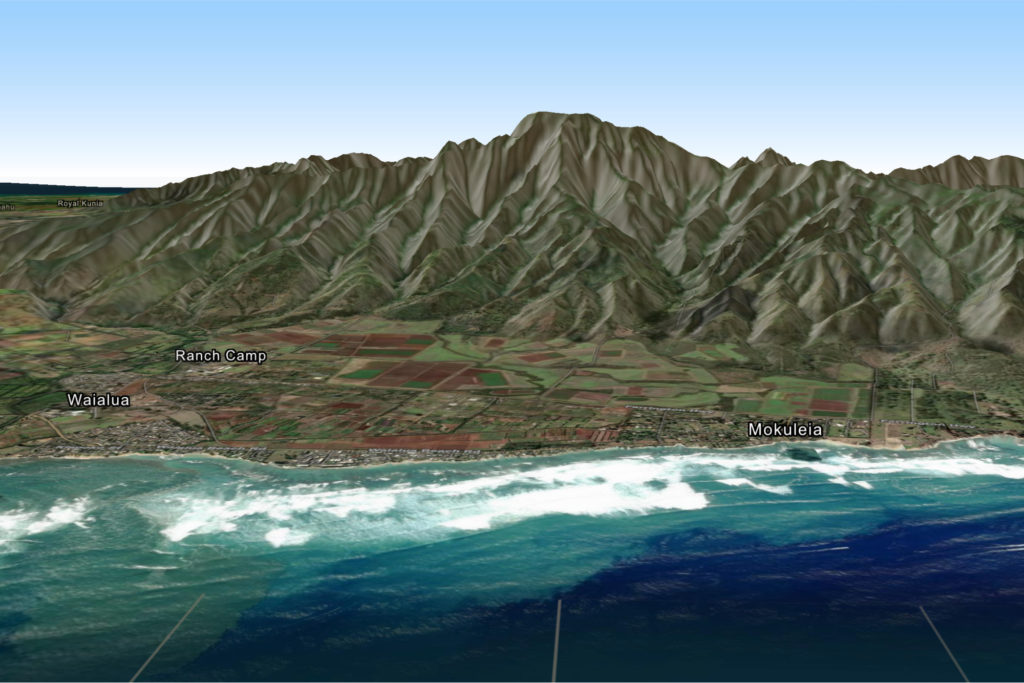
Powerful Map Enhancements
We’ve rolled out a suite of updates to our mapping capabilities to help you tell the full story of your work. These enhancements include:
Reorganized Toolbar with New Tools
Enjoy a cleaner workspace with a restructured toolbar featuring brand-new tools designed to improve editing and navigation efficiency.
3D Terrain
Visualize your geography with immersive 3D terrain mapping, providing greater depth and context to your land conservation projects.
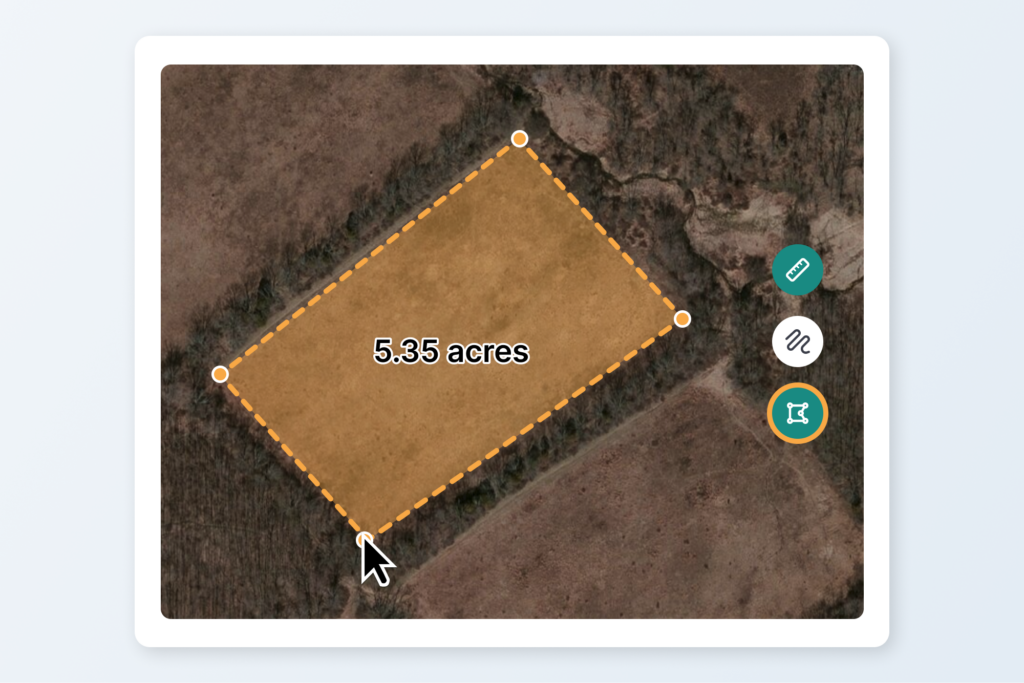
Measure Tool
Calculate distances and areas quickly and accurately directly within the map viewer.
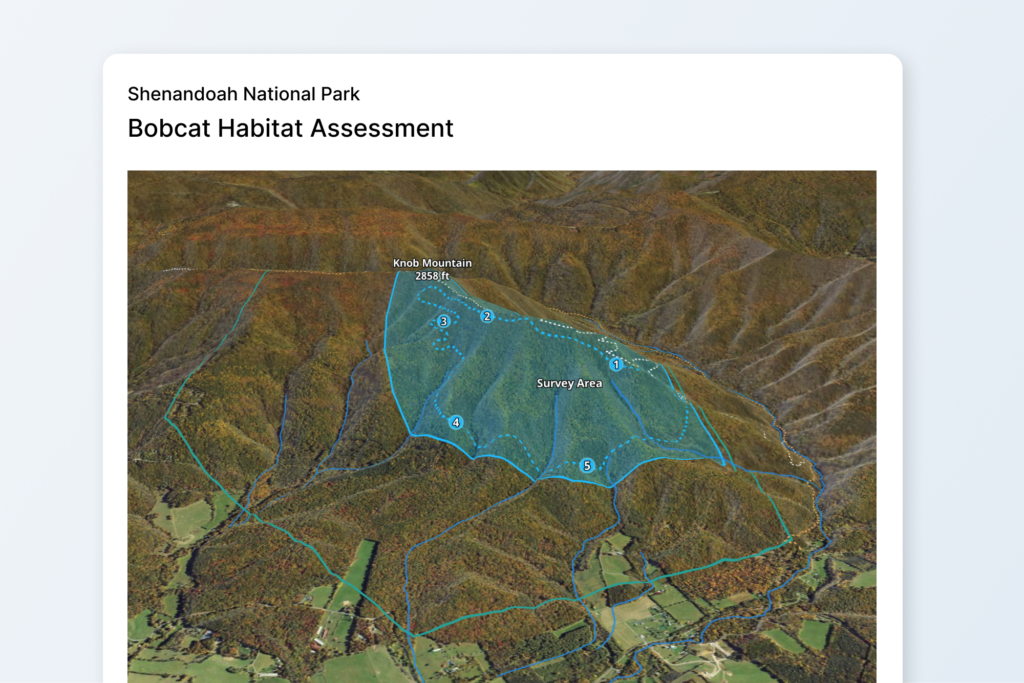
New Style-By Options
Customize your maps further with expanded style-by attributes, allowing you to represent your data how you need it.
Performance Improvements
Experience faster load times, smoother panning, and enhanced rendering capabilities across all maps.
Changes to Settings
We’ve also given the administrative side of Landscape a major tune-up to keep your day-to-day operations running smoothly.
Permissions
Inspired by your feedback, our new permissions model provides much more granular control over object visibility. The entire permissions page features a brand-new grid layout to support this functionality, and all view restrictions are fully supported on the Landscape Mobile app. For step-by-step guidance on setting this up, check out our updated Knowledge Base articles: How to manage users and How to set permissions.
Usage Metrics & Billing
For accounts on the new pricing system (announced last August), the Subscription page now displays an estimated renewal cost based on your property usage, alongside a clear chart tracking your usage throughout the subscription year.
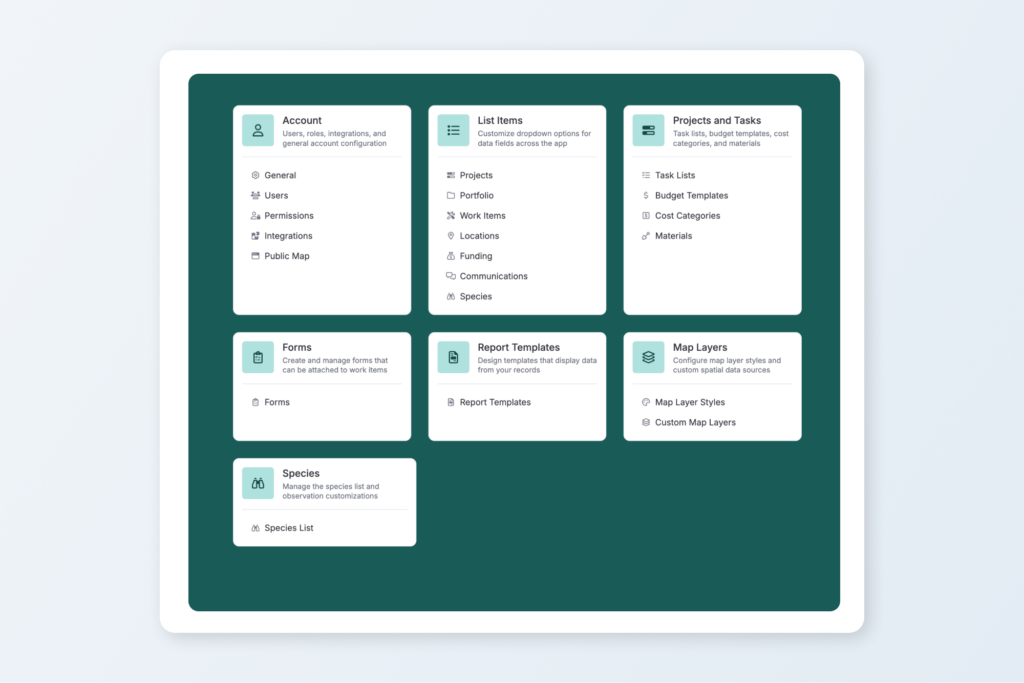
Layout
The completely redesigned Settings page makes finding what you need effortless. You can now quickly navigate between settings using the new side panel with nested content.
Other News & Updates
Mobile App Beta Testing
The next-generation Landscape Mobile app is officially in beta! We are actively gathering feedback from a handful of brave users putting the app through its paces in the field. This testing ensures everything is in tip-top shape before it rolls out to everyone else. We’re incredibly grateful to our beta testers and look forward to launching the official release in the coming months.
New Support Articles
Two new step-by-step guides are live in the Knowledge Base to help you manage your spatial data and master the new mapping tools:
National Dinosaur Day is June 1st!
You might think this has nothing to do with Landscape, but we’re willing to bet we can convince you otherwise.
Always innovating and improving
We’re constantly working to make Landscape the best comprehensive tool for land conservation work. Always feel free to send us your suggestions for improvement by sending a message to support. We appreciate your feedback – it helps us to help you!
New to Landscape?
Working in Landscape connects your team and organizes your work and reports. The best way to see how Landscape can help your organization is by seeing a demo. Sign up for a demo today!